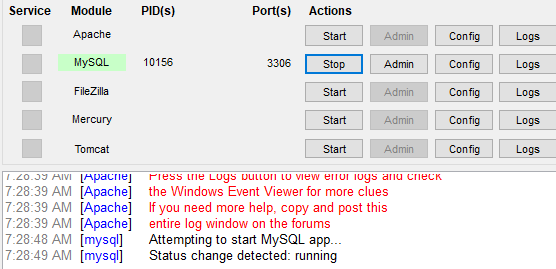
I encountered an error while using XAMPP, and after some investigation, I found that the most likely cause is another program blocking port 80 or 443, which are essential for running Apache. Here's how you can resolve the issue:
Steps to Resolve the Issue
1. Identify the Blocked Port:
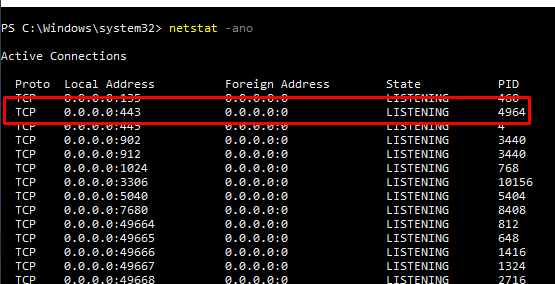
Open PowerShell in Administrator mode and run:
netstat -ano
Look for the process using port 80 or 443.
2. Kill the Blocking Process:
Note the process ID (PID) blocking the port (e.g., 4964 for port 443). Terminate the process using:
taskkill /f /pid 4964
3. Restart Apache in XAMPP:
Go back to the XAMPP Control Panel and start Apache. It should start without any issues now.
By following these steps, you should be able to resolve the XAMPP error. Let me know if you face further challenges!